Upvoting Product Updates & Roadmap Features
Engagement and validation are key to understanding what your users value. NanoLog allows your customers to upvote both Changelog Updates and Roadmap Items directly from the in-app widget, providing your team with clear, quantitative signals on feature popularity and success.
Interactive Upvoting inside the Widget
Upvoting is integrated natively into the widget experience with zero cognitive friction for your users:
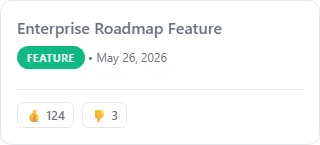
- Changelog Upvotes: An upvote button (an arrow icon accompanied by the current vote count) is placed at the bottom of every announcement card. Users can click to show appreciation for the release.
- Roadmap Upvotes: Next to each item on the Roadmap tab, an upvote button allows users to "vote up" the upcoming features they are most excited about.
- Optimistic UI Updates: Votes are processed instantly in the background and increment immediately in the UI without causing full-page refreshes.
Tracking Vote Metrics in the Dashboard
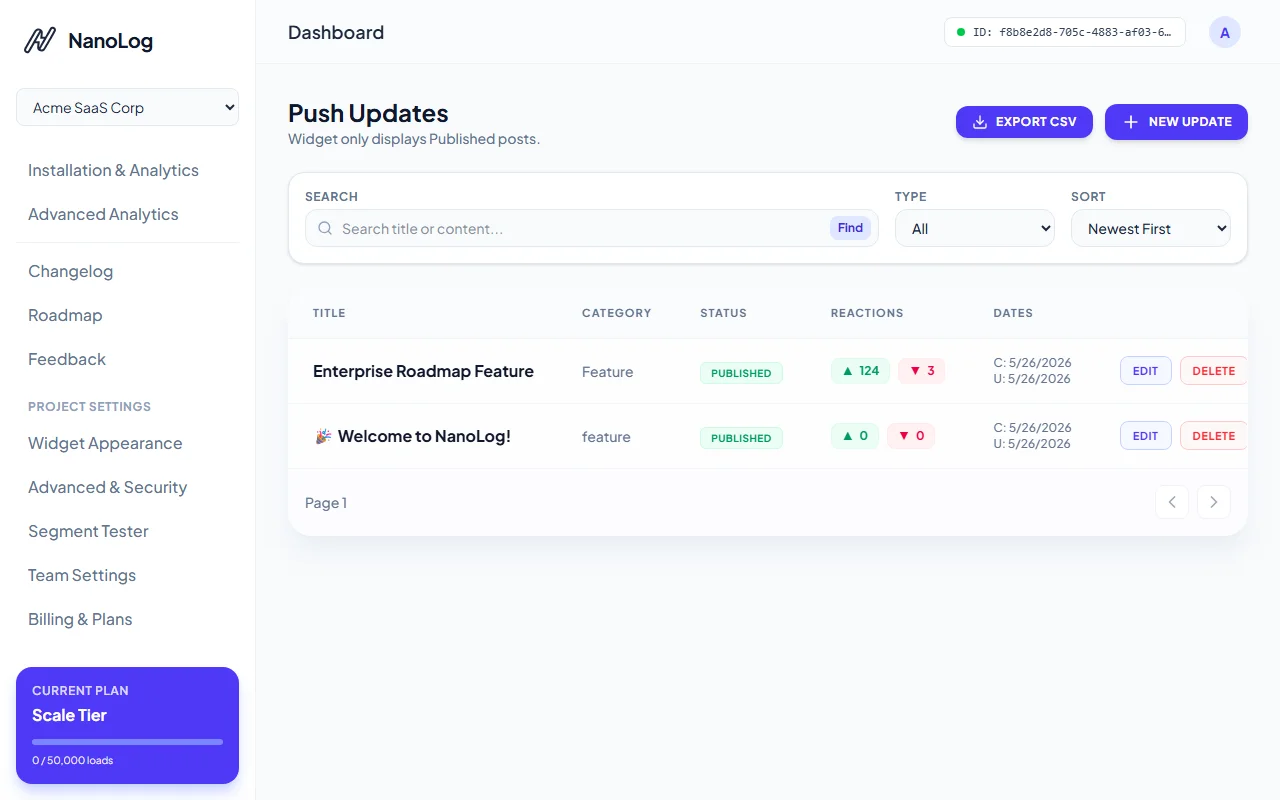
All votes cast by your users are tracked and visualised directly inside your NanoLog dashboard:
- Active Post Rankings: View post performance at a glance from your updates list, with column sorting for total upvotes and positive sentiments.
- Roadmap Prioritization: View aggregate customer interest rankings on your roadmap columns to help your planning team build highly anticipated features next.
Secure & Non-Abusive Voting
To ensure vote counts remain accurate and are not artificially inflated by automated scripts, duplicate voting is prevented via layered security:
- Domain Allowed Lists: Votes are accepted only if they originate from requests on your configured Allowed Domains list.
- Frictionless Identity Matching: If the widget is loaded with user context identifiers, NanoLog matches the vote directly to their specific account key, preventing multiple submissions.
- Local Storage Fallback: For anonymous users, browser storage keys are used to block double voting.
By analyzing these metrics regularly in your dashboard, you can build a factual, historical record of what truly resonates with your audience!