Customer Feedback Inbox & In-App Widget Form
One of the most powerful aspects of NanoLog is converting release announcements from a static, one-way notification broadcast into a valuable, two-way dialog. NanoLog provides a gorgeous, interactive In-App Feedback Tab directly inside your widget, and gathers all responses inside a centralized Feedback Inbox in your dashboard.
This guide provides a high-level overview of how customer feedback works, the types of feedback you can collect, and how to manage incoming submissions.
Feedback Collection Form
Friction is the ultimate enemy of user feedback. By placing a direct input form inside the widget popover, you capture your users' immediate impressions and raw thoughts when they are highly engaged:
1. Standard Text Feedback
Users can type descriptive suggestions, bug reports, feature requests, or general praise directly within the widget panel. It's clean, simple, and takes seconds.
2. NPS Emoji Ratings
Quantitative customer satisfaction metrics are captured with our Net Promoter Score (NPS) Emoji Ratings. Users rate their experience on a scale of 1 to 5 using expressive faces (😡, 🙁, 😐, 🙂, 😍).
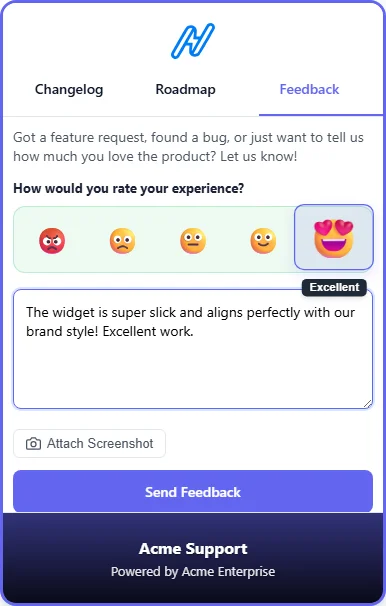
3. Visual Feedback (Interactive Screenshots)
Let users capture their active browser screen, highlight bugs with red annotation boxes, and automatically redact sensitive areas on the fly using our built-in canvas workspace.
[!NOTE]
🛡️ Enterprise-Grade GDPR Compliance
NanoLog is built with privacy-first principles. Visual feedback screenshots are automatically scrubbed client-side in the browser before uploading to ensure no Personal Identifiable Information (PII) ever leaves your customer's machine.
For a technical deep-dive into browser API mechanics, auto-redaction classes, custom CSS selectors, and our backend zero-persistence security design, visit our dedicated Visual Feedback & GDPR page.
Centralized Feedback Inbox
All responses and reactions are aggregated inside your dashboard's Feedback inbox, offering a powerful, bird's-eye view of customer satisfaction:
- Rich User Identity Cards: See exactly who submitted each review, including their email address, account role, and custom metadata variables.
- Sentiment Filtering: Sort reviews to focus on critical feedback to resolve issues, or export positive testimonials for marketing teams.
- Automatic Association: Every feedback entry is automatically linked back to the specific update the user was viewing, providing complete context.
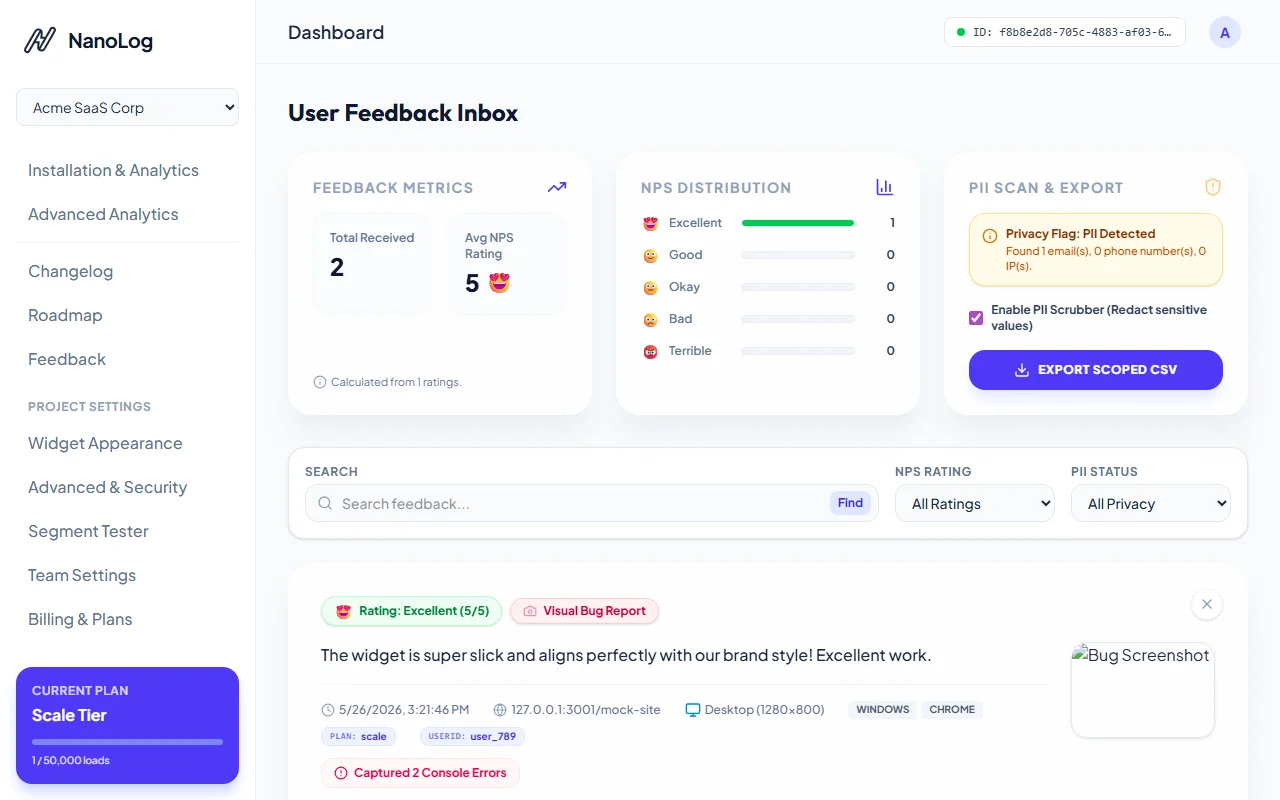
Technical Triage Details Modal
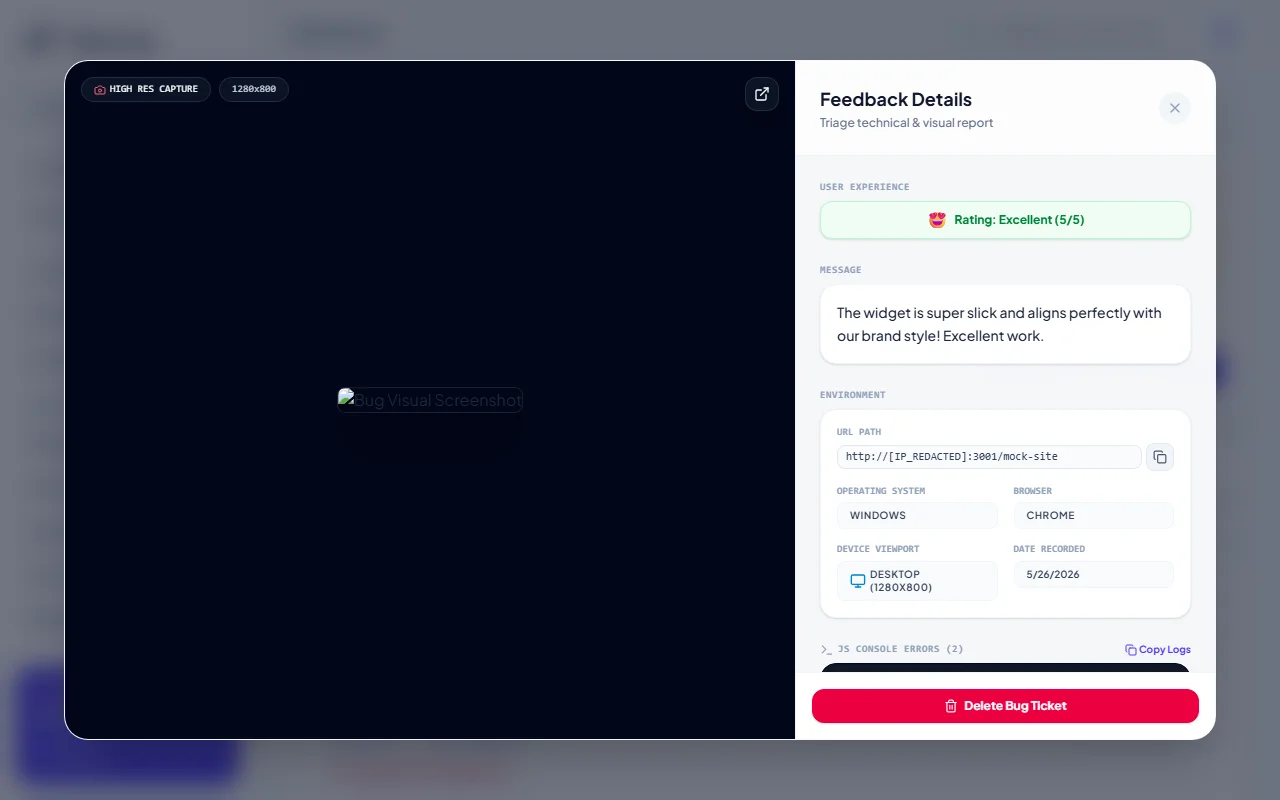
When you click on a Visual Bug Report inside your inbox, NanoLog opens a comprehensive technical details panel:
- Interactive Screenshot Viewport: Displays the high-resolution capture with the customer's manual red highlight boxes and auto-scrubbed PII black redactions.
- Environment Metadata: Shows the precise URL path, operating system, browser engine, viewport dimensions, and time recorded.
- Developer Console Logger: Automatically aggregates any client-side JavaScript console runtime errors or network failures leading up to the report, making visual bugs incredibly fast to debug.
Closing the Loop
By routing widget feedback directly to your product dashboard, your engineering and product management teams can act on customer sentiment immediately, closing the product iteration loop and raising customer satisfaction!