Managing & Publishing Changelogs
NanoLog offers a powerful dual-channel communication strategy to distribute product updates: an interactive, feature-rich admin dashboard to write and manage posts, a frictionless In-App Widget Updates Feed embedded directly inside your software product, and a dedicated Hosted Changelog Page for public reach.
1. Dashboard Management & Publisher
From the NanoLog dashboard's Changelog tab, your team can compose and manage beautiful release notes with rich analytics:
- Rich Editor Support: Write announcements in clean Markdown or utilize a spacious Rich Text Editor with drag-and-drop image uploads.
- Category & Metadata: Assign clear categorizations like Feature, Improvement, or Fix to help users filter updates.
- Segmentation Rules: Define rules (e.g.
plan = scale) to display highly targeted updates only to specific groups of users. - Reactions & Voting Analytics: Track aggregated post views, upvotes, and downvotes to see how your users react to new features in real time.
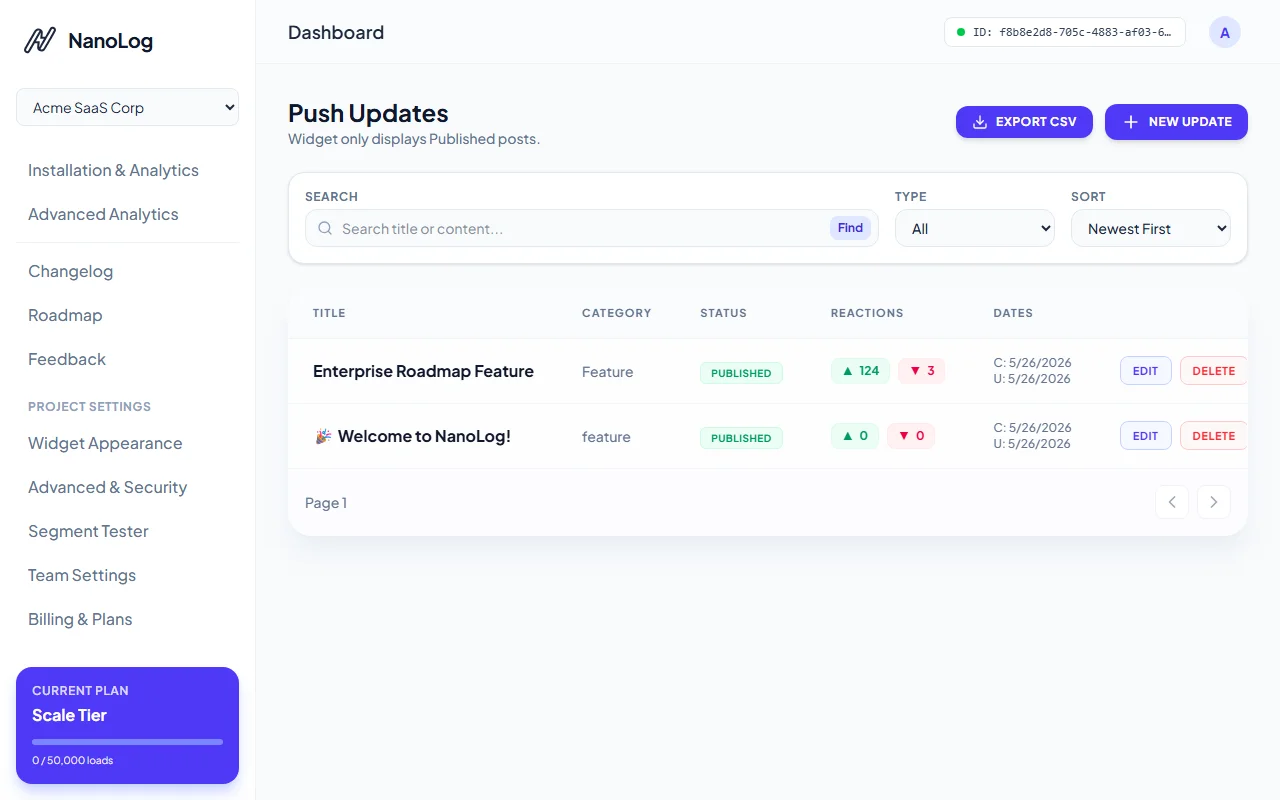
The changelog posts list shows high-fidelity metrics, publication status, and user reactions in HSL-curated pills.
Drafting Updates with Rich Media
When drafting a new update, you can seamlessly embed images and format your layout using standard blocks:
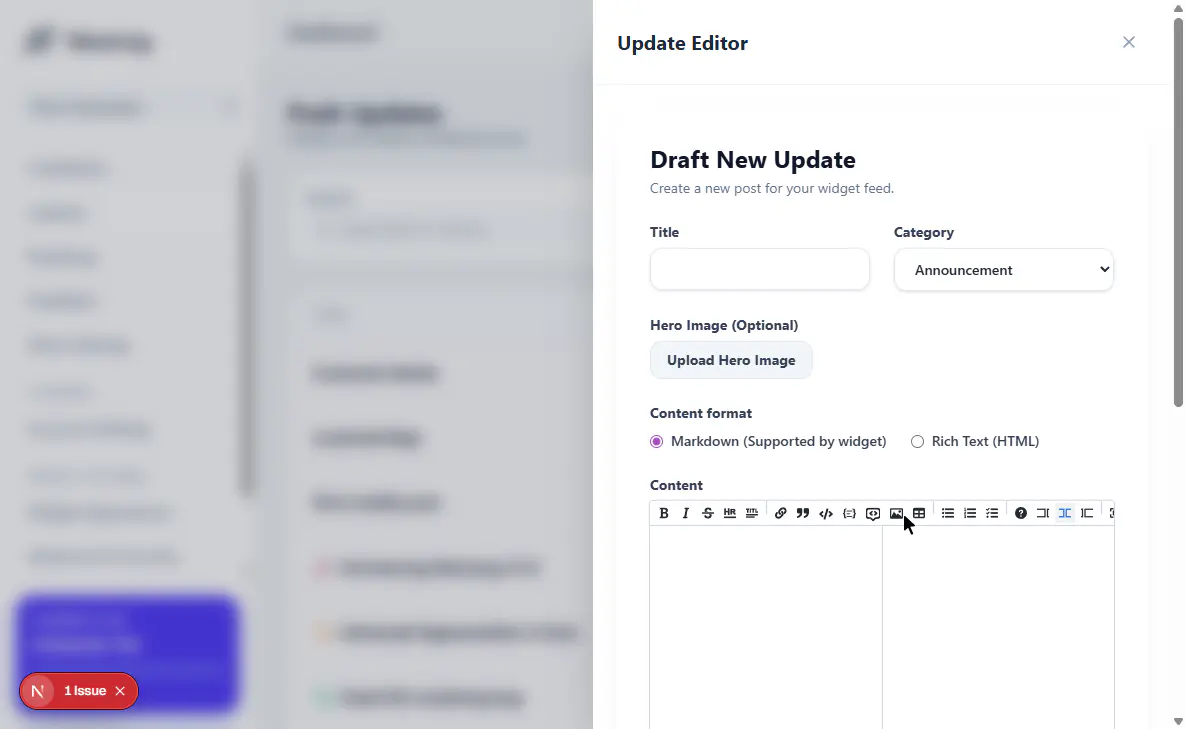
The update builder with instant image previews, category tags, and content formats.
2. In-App Widget Updates Feed
Once published, your changelog updates instantly sync to the in-app widget. This ensures your active users are informed without disrupting their flow:
- Animated Pulse Badging: Draws clean attention to the floating action button when new updates are live.
- Inline Reading popover: Clicking the button displays the release notes, complete with rich formatting and tags.
- Voting & Reactions: Users can leave instant upvote or downvote reactions on post cards directly inside the widget interface.
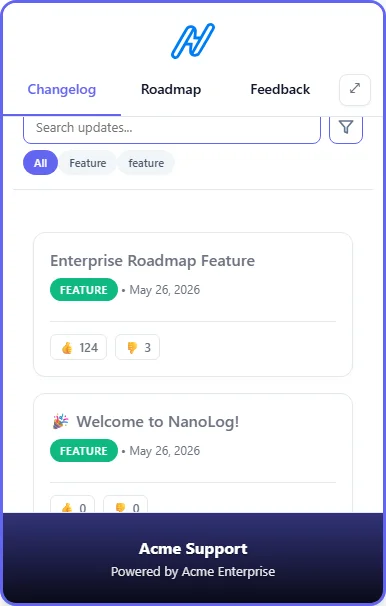
The embedded changelog popover inside your app, letting users read and react natively.
3. Hosted Public Changelog Page
Every NanoLog project automatically gets a dedicated Hosted Changelog Page accessible at /changelog/[appId]:
- Perfect SEO Indexing: Fully accessible to crawlers to showcase your continuous shipping momentum and boost organic search ranking.
- Shareable Release URLs: Provides direct URLs for each update, perfect for newsletters, social media, or support links.
- Full-Page Readability: Offers a spacious, beautiful layout tailored for major announcements, release notes, and comprehensive feature launches.
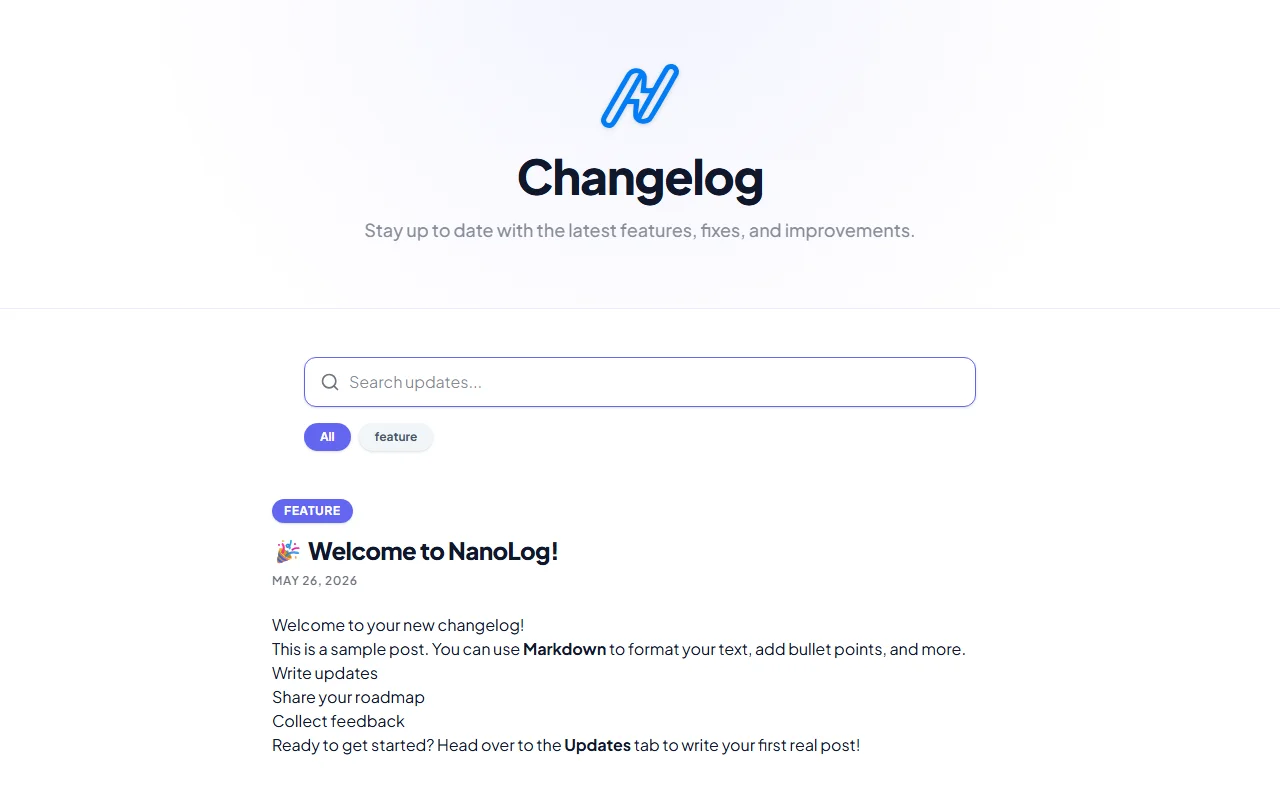
The sleek public hosted changelog page, displaying your updates in a full-page design.
4. Search, Tags, & Category Filtering (Pro+)
NanoLog equips your changelog updates feed with advanced exploration tools so customers can quickly find the exact updates they care about:
Categorized Filter Tabs
All announcements are grouped under standard categories (Feature, Improvement, or Fix):
- In-App Widget: Category pills appear dynamically at the top of the updates tab, allowing users to tap to instantly isolate specific classes of updates.
- Hosted Page: Renders interactive responsive tabs that filter the entire feed with zero-latency client transitions.
Tag-Based Filtering
Administrators can tag posts with custom labels (e.g. Billing, Security, API):
- Tag badges render natively on update cards to provide quick visual indicators.
- Users can click any tag badge to instantly filter the feed by that specific tag.
- Note: Custom post tagging requires a Pro plan or higher. On the Free tier, tags edit controls are disabled in the update builder with premium badge overlays.
Active "Search & Go"
To avoid heavy server loads, search queries are executed locally:
- Enable Search & Filters in your Widget Panel configuration tab.
- Users can type any search term (matching post titles, content, categories, or tags).
- The search uses a deliberate "Search & Go" pattern: the filter applies instantly when the user presses Enter or when the search input is cleared. This provides a clean, deliberate, and high-performance searching experience.