Custom CSS Injection
NanoLog strives to provide beautiful, modern defaults for its widget and changelog. However, we understand that Scale and Enterprise customers often have strict brand guidelines and require pixel-perfect control over every third-party component embedded on their platform.
This is why NanoLog supports Custom CSS Injection, allowing you to override our base styles and completely mold the widget to fit your application's unique aesthetic.
The Power of Custom Styling
While our standard visual configuration options (like primary colors, fonts, and dark mode toggles) cover 90% of use cases, Custom CSS is invaluable for advanced needs:
- Brand Typography Matching: Force the widget panel and headings to inherit your platform's exact font families and weights.
- Layout & Glassmorphism: Fine-tune borders, padding, border-radius, or background backdrops to match the exact spacing of your native dashboard layout.
- Micro-Interaction Overrides: Modify or extend the entrance transitions and hover animation states of the widget elements.
Writing CSS for Shadow DOM
Since the NanoLog widget is encapsulated safely inside a Shadow DOM, standard global site CSS will not affect it. This encapsulation prevents your website's styles from accidentally breaking the widget, but it also means styling overrides must be injected directly into the widget's Shadow root.
Our Custom CSS engine handles this injection for you automatically!
- Navigate to the Widget Appearance section in your dashboard sidebar.
- Paste or write your CSS rules inside the Custom CSS editor.
- Scope your rules cleanly. For example, if you want to apply custom borders and styling to the entire widget panel:
.panel {
  border: 3px solid #6366f1 !important;
  border-radius: 24px !important;
}
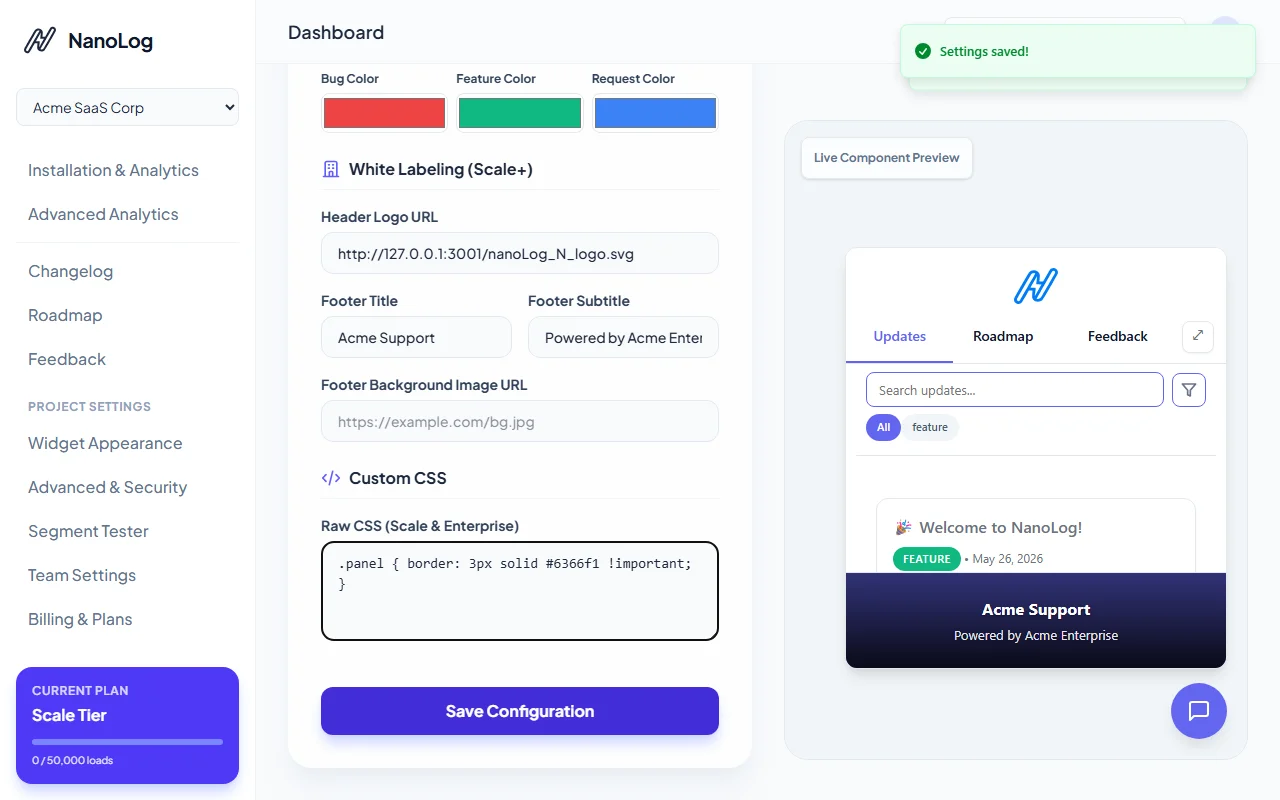
- The dashboard live preview on the right will instantly apply the CSS styles so you can iterate quickly.
- Click Save Configuration to sync changes live to all users!
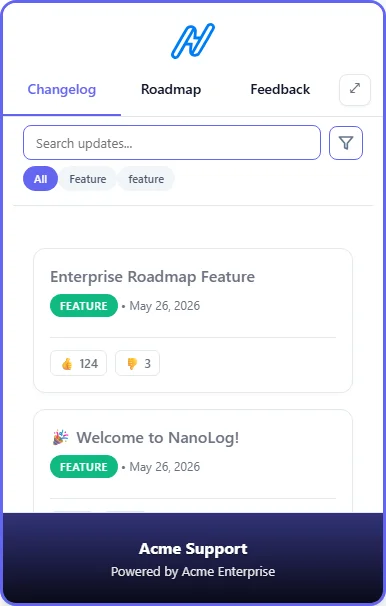
That's it! Your bespoke custom styles are now safely injected directly into the widget panel across your entire product.