Public & In-App Roadmaps
Building transparency breeds deep customer trust. NanoLog allows you to share your upcoming features and current development priorities with your users via an interactive Public Roadmap which is available as an admin management board, a tab inside your in-app widget, and a dedicated public-facing page.
1. Dashboard Roadmap Planner
Managing your roadmap is simple and decoupled from your announcement posts. This lets your product managers plan abstract features, capture demand, and prioritize before writing formal release notes:
- Quick Addition: Quickly add planned features with titles, status, and descriptive details from the sidebar.
- Status Columns: Organize features into clear stages: Planned or In Progress.
- User Voting Metrics: Track and aggregate real-time upvotes and downvotes collected directly from your users' actions to identify high-impact requests.
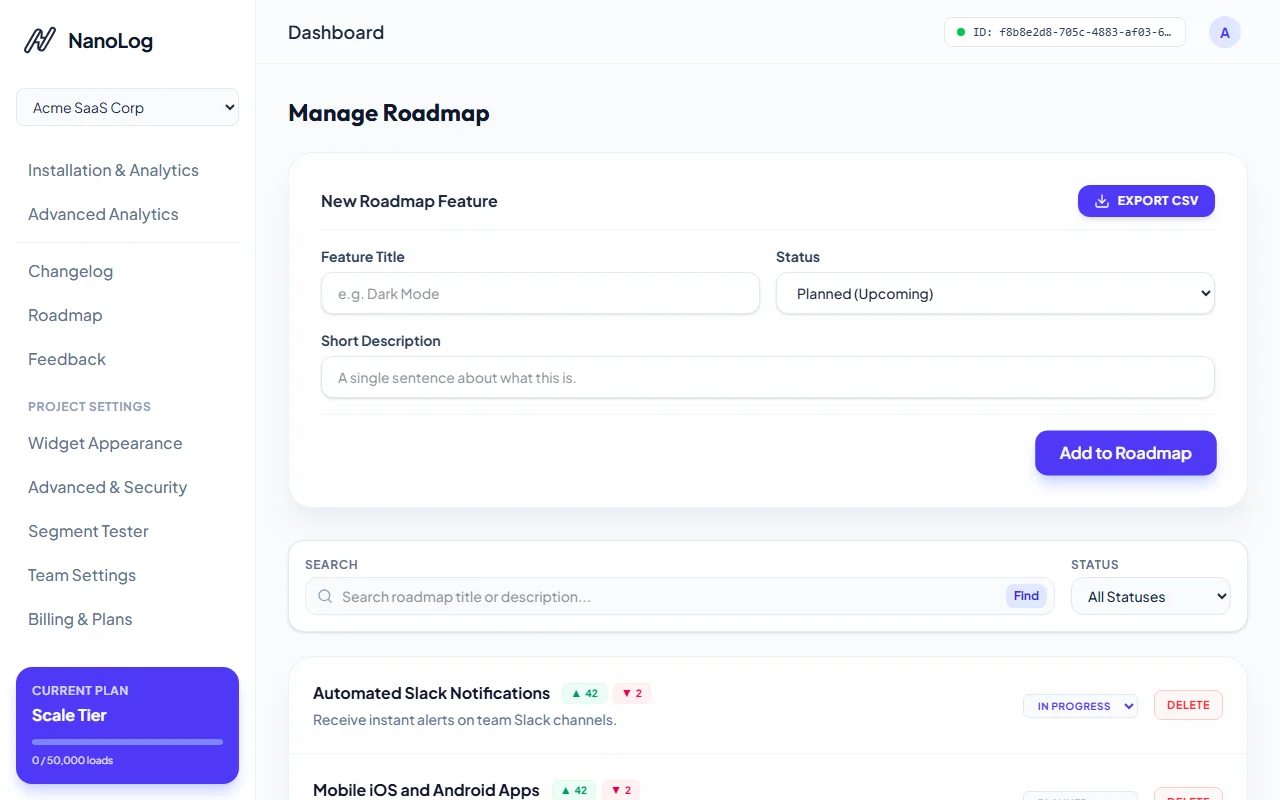
The dashboard roadmap manager lists planned and in-progress items with their corresponding vote metrics.
2. In-App Widget Roadmap Tab
The interactive roadmap is integrated directly into your in-app widget panel. This gives your users a frictionless way to see what's coming and play an active role in your planning:
- Status-Badged Columns: Items are grouped into clear, readable categories: Planned, In Progress, and Released.
- Frictionless Feature Voting: Users can directly click the upvote or downvote buttons on roadmap cards to signal their interest, helping your team prioritize based on real-time customer demand.
- Seamless Expansion: Users can expand any item inside the popover to read detailed descriptions of the planned capabilities without leaving your product.
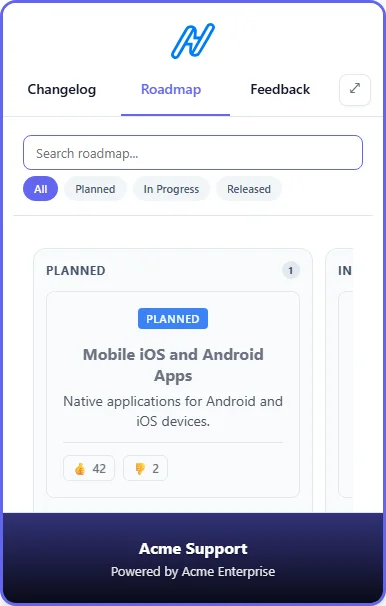
The Roadmap view embedded in the in-app widget tab, enabling users to explore and vote.
3. Hosted Public Roadmap Page
Every NanoLog project automatically gets a public-facing Hosted Roadmap Page at /roadmap/[appId]:
- Product Transparency: Showcases your vision, building trust and aligning your customer expectations with your development speed.
- Full-Page Board: A wide, spacious interface to browse roadmap categories and see active community engagement.
- Call to Action: Enables prospective customers and active users alike to explore upcoming releases and interact with individual boards.
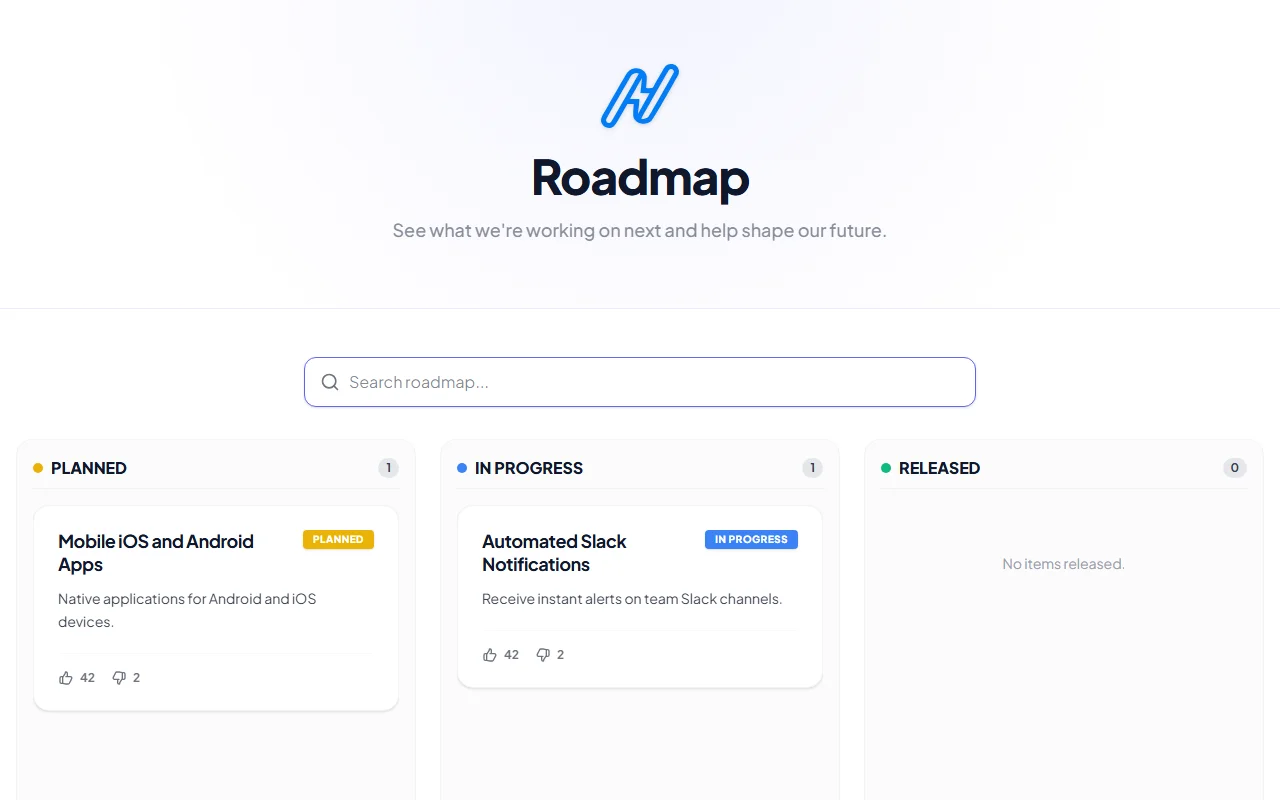
The gorgeous public hosted roadmap board showing all feature cards and voting status.
4. Customizing Layouts & Search (Pro+)
For organizations on Pro plans and higher, NanoLog offers advanced roadmap layouts and powerful client-side search capabilities:
Switching to a Kanban Swimlane View
To make your roadmap highly visual and interactive:
- Navigate to Widget Appearance in your admin dashboard.
- Click on the Widget Panel configuration tab.
- Scroll down to the Search, Filters & Layout section and select Kanban Swimlanes from the Roadmap Layout dropdown.
- Click Save Configuration. Your in-app widget and hosted roadmap pages will instantly adapt!
- In-App Widget: Renders a gorgeous scroll-snapped, swipable Kanban board with swimlanes representing Planned, In Progress, and Released lanes, complete with micro-animations.
- Hosted Page: Displays a full desktop-sized, side-by-side Kanban board layout that automatically transitions to swipeable swimlanes on mobile devices.
Enabling Search & Filtering
Allow users to instantly find roadmap items:
- Toggle the Enable Search & Filters checkbox in the Widget Panel tab.
- Customize the aesthetics by configuring custom styling tokens:
- Search Input Border Color (active search inputs border style)
- Filter Chip BG (inactive chips background)
- Filter Chip Active BG (active tab selection highlight)
- Filter Chip Text Color (chip labels readability)
- Once saved, your users can filter items by status lanes or search for specific features by title and description. Queries are resolved instantly client-side for maximum performance.